---
title: "Understanding Pricing in Aspire"
slug: "understanding-pricing-in-aspire"
tags: ["Language - English", "Area - Administration", "Area - Estimating", "Industry - Landscaping", "Type - Task (How-To)", "Role - System Admin", "Role - Branch Admin", "Skill Level - 1 (Beginner)"]
updated: 2026-04-06T14:17:50Z
published: 2026-04-06T14:17:50Z
canonical: "guide.youraspire.com/understanding-pricing-in-aspire"
---
> ## Documentation Index
> Fetch the complete documentation index at: https://guide.youraspire.com/llms.txt
> Use this file to discover all available pages before exploring further.
# Understanding Pricing in Aspire
At its most basic level*, Service Pricing* in Aspire is based on:
- **Costs** set for each item in the Item Catalog.
- **Markup** percentages set for each item type based on the branch, division, and service type in Pricing Markups
- **Net Profit** percentage
**Your company might be using a desired gross margin percentage to figure out how to price a job or an item.** While this can work, somewhat, we often find that companies don’t fully consider their overhead costs, or even net profit, when creating those desired gross margins.
This is why Aspire uses the **Multiple Overhead Recovery System (MORS)**, instead. If your company has targeted margin percentages for your estimates, it may take time at first to reconsider how this looks.
Watch this video or keep reading to learn more.
[208 Estimating - Pricing in Aspire Video](https://fast.wistia.net/embed/iframe/f6k38a2s4y?web_component=true&seo=true&videoFoam=false)
Aspire’s Pricing Method: MORS
Pricing in Aspire is driven by the concept of Multiple Overhead Recovery System (MORS). MORS is the idea that prices charged for services are based on cost plus appropriate markup percentages on that cost. Markups, instead of gross margins, are used to recover overhead expenses.
⭐ Using the *MORS* approach, you’ll need to determine appropriate markups for each item type to recover your overhead.
Building Blocks of Pricing: Costs, Markups, and Price
In understanding Aspire, we want to continue the concepts discussed at the beginning of this series by explaining how these are applied in Aspire.
**As an overview:**
[Cost](https://guide.youraspire.com/docs/understanding-pricing-in-aspire#costs) + [Markup](https://guide.youraspire.com/docs/understanding-pricing-in-aspire#markups) = [Price](https://guide.youraspire.com/docs/understanding-pricing-in-aspire#price)
*Or more specifically*
**Cost + (Cost x Markup %) = Price**
Costs
Let’s discuss the first building block: **cost**. As we mentioned before, cost, or more specifically, *direct cost*, is the dollar amount your company is spending to buy something to complete a job you are bidding for.
**⚠️ Important:** This is what it costs *your business*, not what it costs *your customer*.
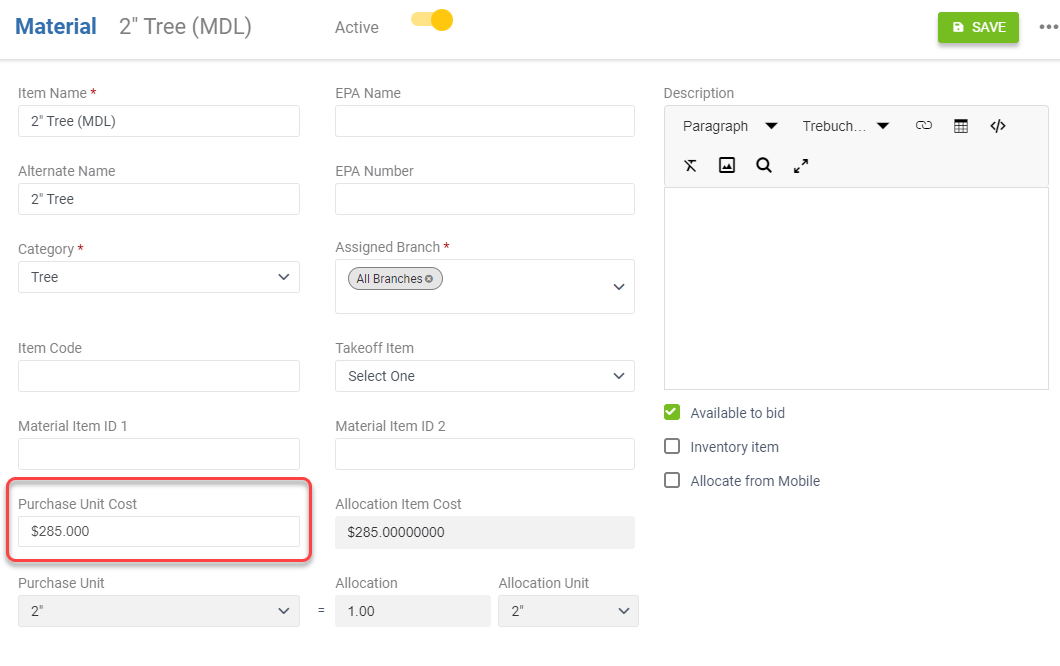
Your item costs are set up on your item records within the *Item Catalog* in *Administration*. To view how items are created and costs are entered, review the different item types in our article, [*Adding Items to the Item Catalog*](https://guide.youraspire.com/docs/adding-items-to-the-item-catalog).
Markups
Next, let’s talk about the second building block: **markups**. A markup is an additional factor applied to the cost of goods to recover overhead that impacts the price you are selling an item. These are shown as a percentage. Going back to our equation, markups really look like this:
Cost + **Markup** = Price
Cost + (**Cost x Markup %**) = Price
Pricing markups are used to cover *overhead* expenses*.* **Overhead**, also called overhead expenses or indirect costs, are expenses that don't relate *directly* to the services you provide but still help keep your operations running.
Examples ofOverhead:staff training, meetings, and work vehicles, and payroll software.
⚠️ Important:
- Markups are **not** used to cover your *direct* cost, as that is already considered by the item’s cost entered on the item record.
- While overhead is recovered through your markup percentages, continue to track these indirect costs in your Accounting system, not in Aspire.
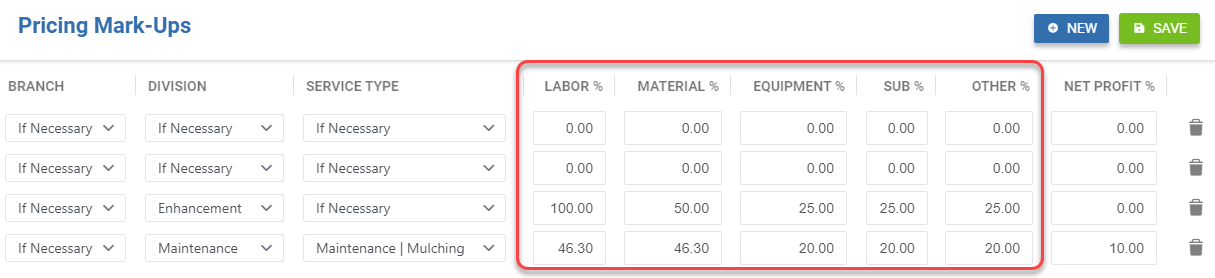
To review so far:
| Concept | What is it for? | Where can I find it? |
| --- | --- | --- |
| Cost | Recovers *direct* costs related to the job | *Administration* → *Estimating* tab → *Item Catalog* subsection. |
| Markup | Recovers *indirect* costs related to running your company (overhead) | *Administration* → *Estimating* tab → *Pricing Mark-Ups* subsection. |
💡 So, **creating your markups is an essential part of building your pricing to help recover overhead costs.** Let’s put these two ideas together to talk about the next building block: Price.
Price
**Price** is the dollar amount your company sells an item or service to your *customer* to complete a job you are bidding for.
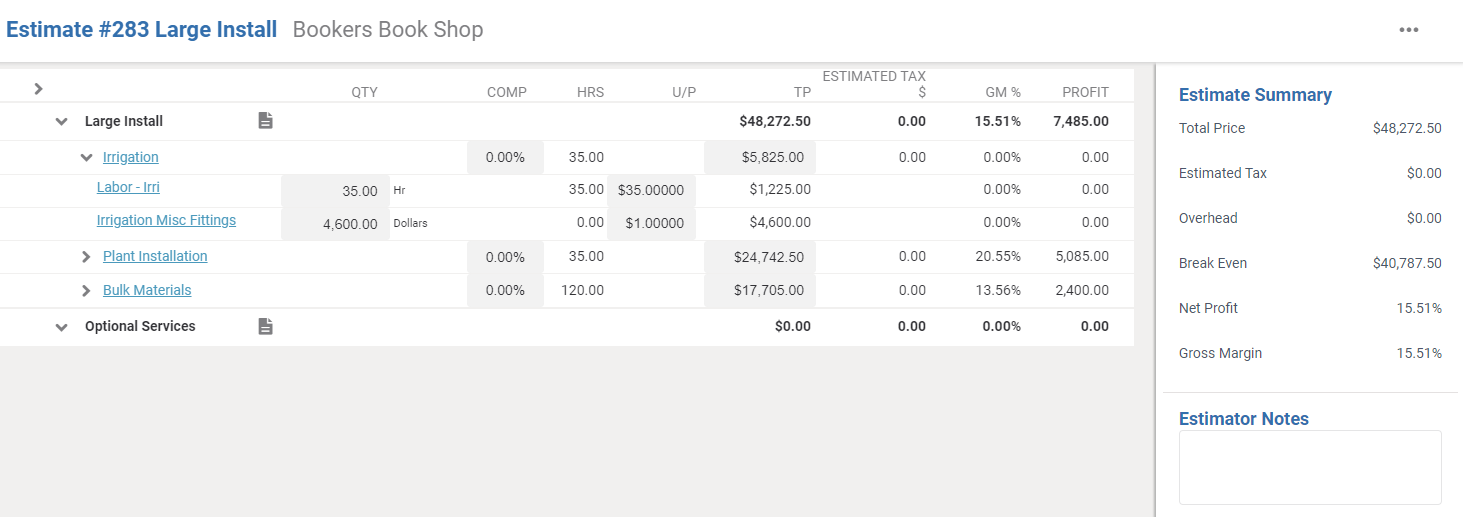
To put it all together, see the example below for calculating the price of a single item!
If labor costs $18.00 an hour, and your labor markup is 60%, then what will Aspire calculate as your labor price?
| Cost of Item Per Unit | Markup % | Price |
| --- | --- | --- |
| $18.00/hr | 60% (or .6) | ? |
For **one hour of labor**, the calculated price would be:
**Cost + Markup** = Price
**Cost + (Cost x Markup %)** = Price
**Hourly Rate + (Hourly Rate * Markup %) = Labor Price**
$18 + ($18 x .6) = $28.80
$18 + $10.80 = $28.80
= $28.80
Considering All Item Types When Calculating Price
So far, we’ve explained these concepts with only one item type: labor. However, we know that in Aspire there are 5 item types used for pricing. ***That’s exactly what Aspire considers when calculating your total service price!***
For the labor item type, we said the equation was:
**Cost + (Cost x Markup %) = Labor Price**
Now, let’s apply this equation to each of the 5 item types to understand the total price for a service!
***So if:***
*Labor* Price + *Material* Price +
*Equipment* Price +
*Sub* Price + *Other* Price
**= Total Service Price**
***This means that:***
[*Labor* Cost + (*Labor* Cost x Markup %)] + [*Material* Cost + (*Material* Cost x Markup %)] +
[*Equipment* Cost + (*Equipment* Cost x Markup %)] +
[*Sub* Cost + (*Sub* Cost x Markup %)] + [*Other* Cost + (*Other* Cost x Markup %)]
**= Total Service Price**
💡 While you don’t need to remember this equation, **it’s important to understand where your pricing comes from as you build estimates in Aspire**! However, we’re not done just yet. Let’s take a look at one more concept: **net profit**.
Understanding Net Profit
Often, your company knows the *cost* of your item types and the *price* you are selling them to the customer. However, you might not know the reason behind the price or cost.
Normally, the gross profit difference between the price you are selling an item and the cost of the item is used for overhead expenses and, *hopefully*, for your net profit at the end of the year.
Aspire's pricing logic can separate overhead recovered by markups and desired net profit!
💡Tip: Adding a desired net profit percentage is not something you need to do right now if you are working on moving your gross margins to markups. Consider removing desired net profit dollars from your markups and into the net profit field when the next pricing review comes instead!
How is Net Profit Calculated?
**Net Profit** is applied **after** all markups and costs have been calculated. However, the net profit field in Aspire should really be considered as the **desired net profit**.
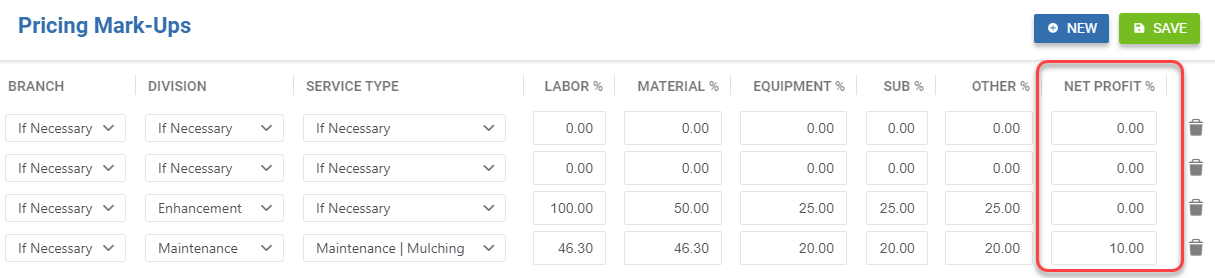
**If we were to estimate a single service *without* a desired net profit, this is what it would look like:**
*Labor* Price + *Material* Price + *Equip* Price + *Sub* Price + *Other* Price = **Total Service Price**
**Here’s what it would look like *with* net profit being used:**
(*Labor* Price + *Material* Price + *Equip* Price + *Sub* Price + *Other* Price)/(1-Net Profit %) = **Total Service Price**
Notice how the calculation is similar, but we have added an extra part! As an example, if we want our company’s desired net profit to be **10%** after our revenue and costs are recognized, the calculation would look like the below:
*Labor* Price + *Material* Price + *Equip* Price + *Sub* Price + *Other* Price/1-.10 = **Total Service Price**
As your company looks to scale, bidding with overhead expenses and net profit in mind is key to unlocking the power of Aspire. 🔑 However, focus on moving your gross margin percentages to markups first! *(We'll show you how to do this in another section.)*
Now that we’ve discussed how markups work and affect your service level pricing in general, let’s look at why services, even on the same estimate, can be priced differently from each other in our next article, *The Pricing Hierarchy in Pricing Markups*!