---
title: "Reviewing and Creating Indirect Services"
slug: "reviewing-and-creating-indirect-services"
tags: ["Language - English", "Area - Administration", "Area - Estimating", "Industry - Landscaping", "Type - Task (How-To)", "Role - System Admin", "Role - Branch Admin", "Role - Operations Manager", "Skill Level - 1 (Beginner)"]
updated: 2025-12-04T18:02:35Z
published: 2025-12-04T18:02:35Z
canonical: "guide.youraspire.com/reviewing-and-creating-indirect-services"
---
> ## Documentation Index
> Fetch the complete documentation index at: https://guide.youraspire.com/llms.txt
> Use this file to discover all available pages before exploring further.
# Reviewing and Creating Indirect Services
Purpose
Indirect services are used for employees to clock in and out of once the services are on a Won indirect opportunity. Examples of indirect services include things like Holiday, PTO, Shop, and Training/Meeting/Admin.
---
Workflow of the Overall Process
**Step 1:** Create *Indirect Properties*
**Step 2:** Review and Create *Indirect Services (This article)*
**Step 3:** Create *Indirect Opportunities*
---
Reviewing Indirect Services
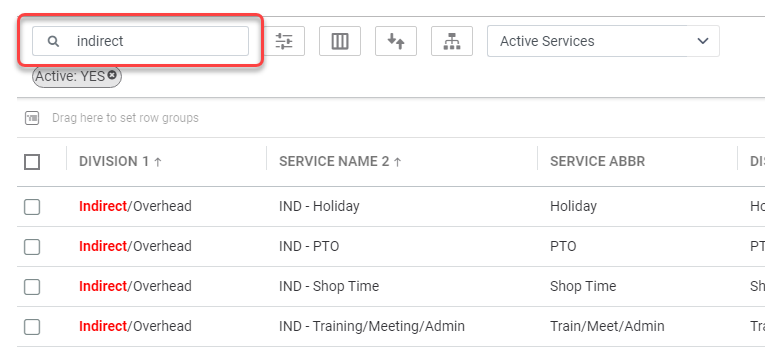
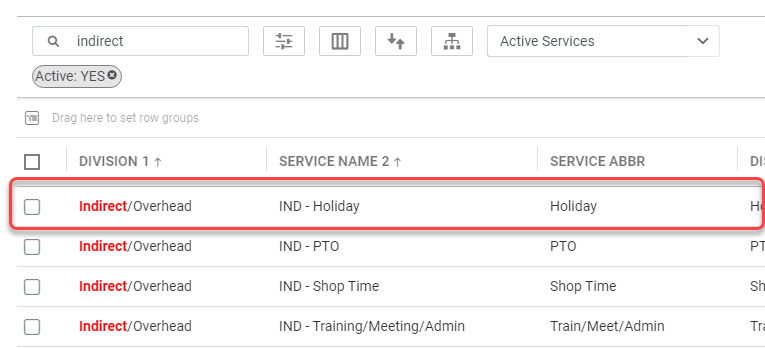
First, you will need to do an **initial review** of *Indirect Services* already in your system. Reviewing will help to decide on what additional services will need to be added or adjusted.
📌 **Note:** Since **Indirect Services** are within the *Service Catalog* in *Administration*. You will need administrator level access to make these changes.
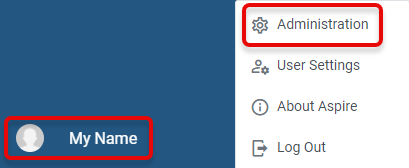
- **Navigate** to your *Profile Icon* > *Administration* > *Estimating* > *Service Catalog.*
[](https://aspire-software.intercom-attachments-7.com/i/o/1150992316/258fe4616831a9a9e8d48fbc/AD_4nXfMhjS4TGvueubK4clwoDb6-AdACIdsLikGZ8I1lfdzb0kefFtGYzVSt131FD6X_hGTEaKTkgnltmXtrPMczPaVIOP5sw3aPJ_q_VJUdBW-hm4o_NLTRuSfZy4nraWITatlLnD3khQWJbgoLADvJRVugLyf?expires=1757099700&signature=5ba8f34f7f51c9fe55c90f7b74a369c423e994aa88451a8f64b8e370e421f9c8&req=dSEiFsB3n4JeX%2FMW1HO4zQ8N4pr2eK9iAJ4W8YbE6pcs0N5TI5xPbywS%2F11O%0AsesS7ugg9D5zOL4D1G8%3D%0A)
[](https://aspire-software.intercom-attachments-7.com/i/o/1150992327/a2501bd3e975f37c25cc4910/AD_4nXeoK1yRu09JH9yBDOTFmojGqBXIhqlxNO-VecthakIHHMacZ4o6g6rjA5AsKYNlbuV9j0zL3x65kSbkjISIUuAY5QY3vF7Hp6Lsbbn9WvQAqnPQ6epIiKhXrVcllnrNemXrXWYuSJ4vChlTO7kaZ5FoHyk?expires=1757099700&signature=542134847b28417d8ed7803c52b477d7e90a3234bb8ba2c2343d37395270224c&req=dSEiFsB3n4JdXvMW1HO4zXkGFLpUlDqfgd3XpDEyhxpXOPlY3d7qbhStPdpH%0AEUeT3O12CbNs2l5MU30%3D%0A)
Common Indirect Services
- Ask yourself, ***“Do I have all of the services I need?”***. Once you have your answer, you can now move over to creating indirect services.
📌 **Note:** If you are missing or need to create a new indirect service, [**click here**](/user-guide/docs/reviewing-and-creating-indirect-services#creating-indirect-services) to jump straight to ***Creating an Indirect Service***!
---
Editing Indirect Services
[](https://aspire-software.intercom-attachments-7.com/i/o/1150992331/358213903dcad9088f989c41/AD_4nXeWp2vyjDoFOkJW1J_LR4SgB_d2YYyHRGhWo4dwmNDg7ZN0VyFC6uwJsUvEEjQvIlbe-_kzOc0KFnYPS7cc1NgKcDIh1q2xTsD3B3O7hfQqXys5o5elhha_d3hYzYg0d43Y0nNbDa2T0LWUU2qVLflZknNR?expires=1757099700&signature=db3ebbffd0a55c805eb66cb999d8c78c6b0f0bcd985e15a700282fb858d9db0d&req=dSEiFsB3n4JcWPMW1HO4zUnMWhXogweiksdLm6w4uLtVTPsjTLy3w5odPC0W%0ARUkzh3hA5vQrvHF2fQ0%3D%0A)
[](https://aspire-software.intercom-attachments-7.com/i/o/1150992342/39db16ecb781dc40ae4ef4d5/AD_4nXe_XO12NvS1LXeMGIaVfBj3nA0gdpsAAsAKOlnc2_t9gqZvUgYIeyMX_yHpdC-QLGx-oXlTyQKyvuLappRXTXO-0DeUsw2EowUFBBnJ88TW1OmdAovmZ0eCASq2LzVuYn2b3y93PiuHPwxoWfIGWgW7yYA?expires=1757099700&signature=65a86ff07155d109e67fa44e8ee0da3848a3ef7303389e27c651fcddde0f0168&req=dSEiFsB3n4JbW%2FMW1HO4zdCh1jyjWhzsKIdjwehZrmJy8bSJDCog9Lo7Vb6V%0A2%2Fchxxus96i%2BU%2BHAdiI%3D%0A)
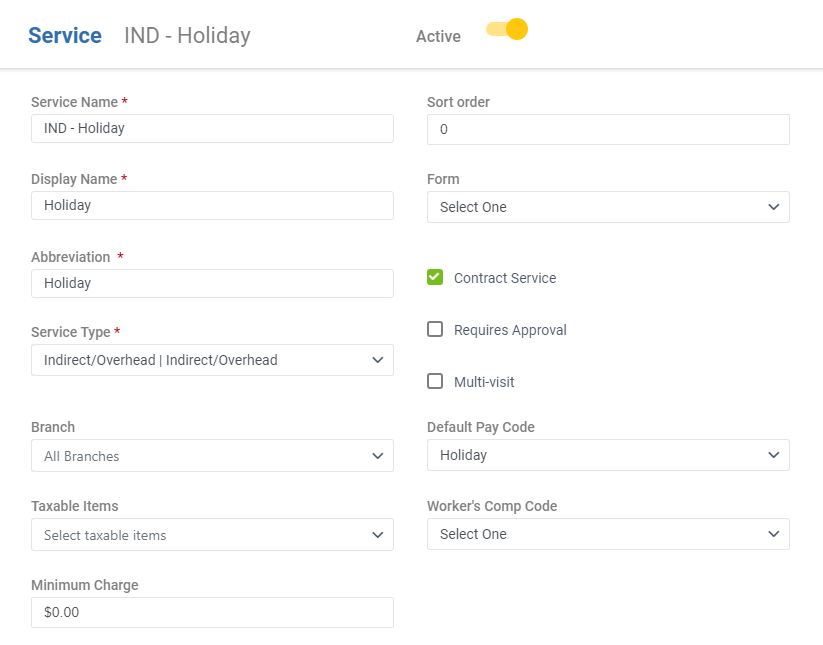
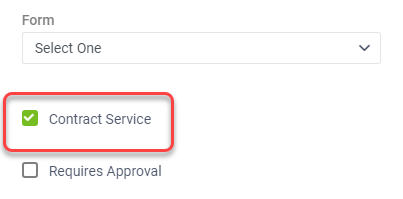
- **Check** the *Contract Service* checkbox since the service will be needed on a Contract. Services are available for work orders regardless of whether the checkbox is checked.
[](https://aspire-software.intercom-attachments-7.com/i/o/1150992353/382d8a660619c4e72d5572ce/AD_4nXc05pxfprqC-P8PM_urN7NvBBBMu7aQ6YOd-Yb9yPPRbJ5bNtk0CP7e1Tnh-fQiKiNACeubH-2Nf1wfxVxX04ABsa3wfiLMt7OI-ooVc6-1aApd9vGCEmdbPZe6XqmMgsJTnT1ONG2ycTvK56xA62lD8FM?expires=1757099700&signature=0a7df1427a1bded4b9d30f46d0ce1c132097af7686c1bb50a960ae6c4e20946a&req=dSEiFsB3n4JaWvMW1HO4zef5z9tRziObvPAIJNXPz4IxrHyWZ%2FgBVdXPJBck%0A6eBaiT7K%2BuXMBrpO7PE%3D%0A)
[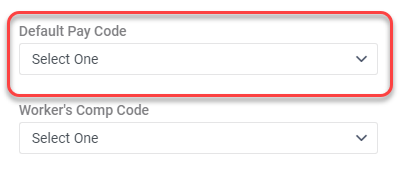](https://aspire-software.intercom-attachments-7.com/i/o/1150992360/6668e9e61c7e3e4c2d6e74ca/AD_4nXc3OdOHYpmc0c2CD0Et8gMww3QSuQSWbb_NrXL1cMbD-HKz5ByQUtKrAYQJO7vcighWeB8uPaNPjwX1_UW2BeJjzFry4Vafp0EnthQYuhWdCDd3yCRZP3BmJ47ZIQetSr9YzP_InFkuitmZhFbf4fgPp-8?expires=1757099700&signature=34217a327936ffdec761660e9d8759dcd50c1f7249323668e0574c7626536b14&req=dSEiFsB3n4JZWfMW1HO4zQuCFWI3YBMeD7tAWjPre55FgU8f4t%2B47VQXI7wi%0A%2FZc3XRxFSH3TJebh4H8%3D%0A)
**Note:** If you have not created a default pay code, [click here](https://guide.youraspire.com/docs/payroll-setup-for-other-payroll-systems) to learn how!
[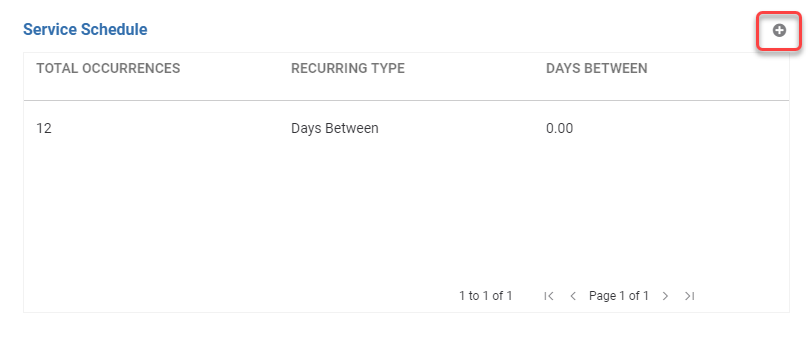](https://aspire-software.intercom-attachments-7.com/i/o/1150992376/174e13bdbef8e0348d7c384a/AD_4nXdBM6zq4VSisR8PM3V_tXVU78KW31BmB08dNPZTazuQIg7l_19L9HsvGG-S0oNsu-sHVqcbwXbDWis2rCHqLJ2EbTQgt-kJcX2cMsbghfVKsukoJKI42_PqxGuBQWmnsVxhJOOzFo-1-Jr1WT4sYIdSHR2n?expires=1757099700&signature=1fb3f3392c863bffbc604c80da618f25d4fb7b7077589f6a076165625ca64650&req=dSEiFsB3n4JYX%2FMW1HO4zSMVK4jnKh4p4NM0MhUb8zctthpPsU%2FSTYJeL4bp%0AkwvpOMOiIMKrWmj%2FcXc%3D%0A)
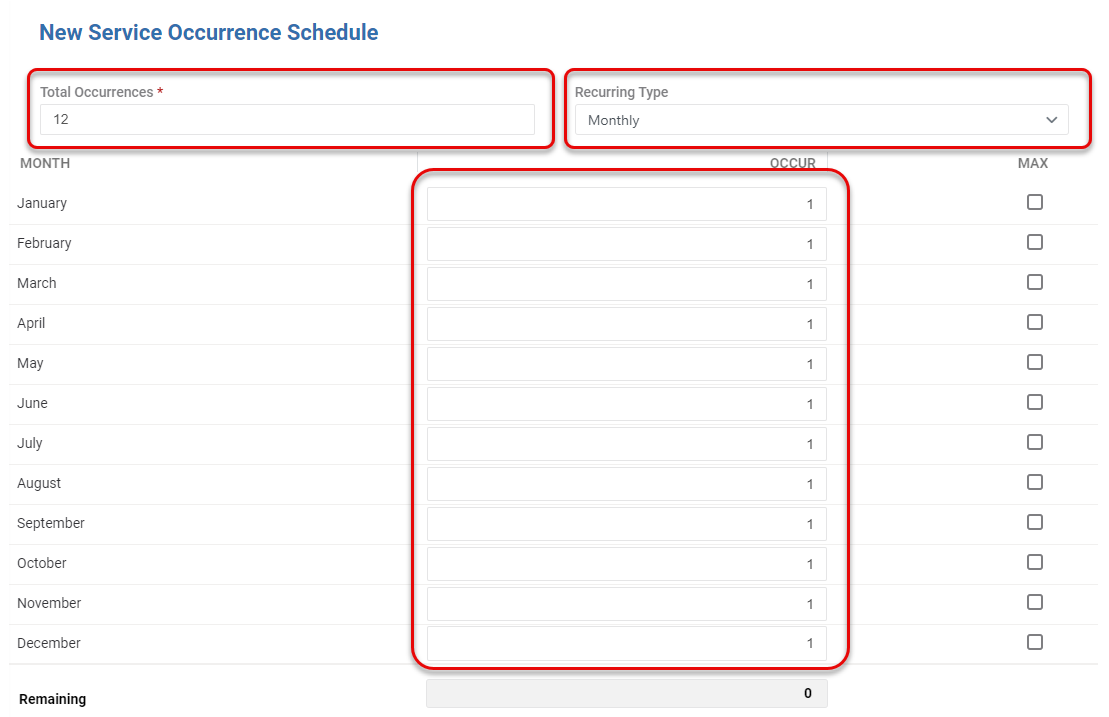
- And then set the *Total Occurrences* to **12 total occurrences**, *Recurring Type* to **Monthly**, and the *Occurrences* to **1 occurrence** per month.
[](https://aspire-software.intercom-attachments-7.com/i/o/1150992390/0a14392a7f69f31954e79100/AD_4nXdFlJv9uzTZBD8gT6V1_1SznT3uqVpOSHF4rj8003GSQhTqL3ecDjuVh5Gq-Js1nhO6XCFeuXowY-vyRuy9QG6BvUjc4KjDaS0r4R3v2f6_hq7rrkGbI_yqLoArv-3eEnkkZkO8EoSwdkcmNtq_ffGdoRtL?expires=1757099700&signature=1a2fd01b069dbe8c735c2400fd8c4c4ce1e8bc1d44806468fee7b4c536d926c4&req=dSEiFsB3n4JWWfMW1HO4zXa3X989ZDwhuSN2VjzQq0WOKtdrVQdBNV1iS%2FU0%0AEeIHHmc3mi7eoD%2BQe80%3D%0A)
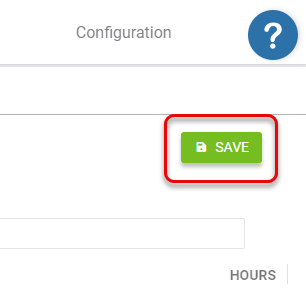
- Be sure to **click** *Save* in the *Service Schedule*.
[](https://aspire-software.intercom-attachments-7.com/i/o/1150992405/b4de631d5580474417407bec/AD_4nXdSKWYjMcScycvjbh9C9DJ70-FBsy_4hzHHVmCUX0wSw6f15182hiJ5gm-N3Ya7qXmoEhetRDo636AGoVE6gLXKGldg7hmX_rb7i1vREK9B7vLkyVJMLSpjhLSshXTwgla4Q6q0v2Sc3nXURrOOO0xhH-Bu?expires=1757099700&signature=a3a00283914d80ec155ef59891ac44ba169a3c4da4e19ce55daec6f2d4fcc41f&req=dSEiFsB3n4VfXPMW1HO4zRRf%2BziE58joXgFv%2B0Wm3zyg%2FDontu5RgThfbM4R%0ACzfPxD7bmzmdGndlM9Q%3D%0A)
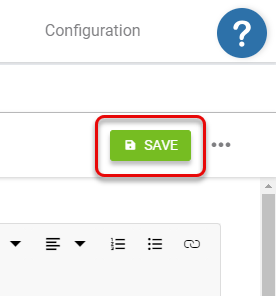
- When you are finished editing your service, **click** *Save* on the service record as well!
[](https://aspire-software.intercom-attachments-7.com/i/o/1150992418/e559dda4d5597dad60521be3/AD_4nXeKti2EwqyrbzBDWSn4WkU5CBWZclXhQyIThzoHN78_lV6ng3ntpWpph3AReyAgYfxa90o6Bjk7gVUkF9FXeCzknVeSQeoRZPxYcyV-_rGdH2Sg2XOEfvH12Z_amZLQevxnCBOzXJx3OlfRBS-fb5OQ68Hg?expires=1757099700&signature=2df371bb3b800a14e98d61e78dfeb30a6e2de257c85a01370ddc2531dca54143&req=dSEiFsB3n4VeUfMW1HO4zUtfX6nf%2BUDPzy6rMQST9ksyP0fM9pFMz1sb5zs6%0ABR6LYvbybqlNnecdw5s%3D%0A)
---
Creating Indirect Services
If while reviewing your indirect services you find that you are needing to add a new indirect service, you can create one easily within the Service Catalog.
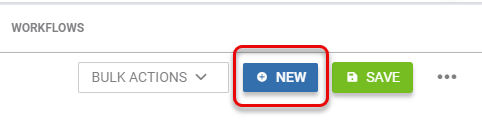
- From the *Service Catalog List*, you can **create** a new service by **clicking** *New* at the top right.
[](https://aspire-software.intercom-attachments-7.com/i/o/1150992434/63900edfc59d25fd4f0771b7/AD_4nXd6Lg9uBRifmrw4y635b7jdkuszpF0VXEWo1UQgtUDgwkAYUNJnZAT_Gc0bPJhMHY-rVN6KR6hbqspS-33isbQ0YzKPlOIlHOTu4OeFcoY_uDLifaX_rd6y9ynBWxNgNsIQ4f_7OlH3dRR_Sr0WlUrwejc?expires=1757099700&signature=b42f556bd40b56fe5087829d4efd92c5cb614a50cd9b2d3d0101f4eaa6f2666e&req=dSEiFsB3n4VcXfMW1HO4zRJcV3VrRAOMJYNEsdLMEZQIaBm9HBAU%2Bn%2F1ID4i%0A8stEzmDxWaq8HSgKWeQ%3D%0A)
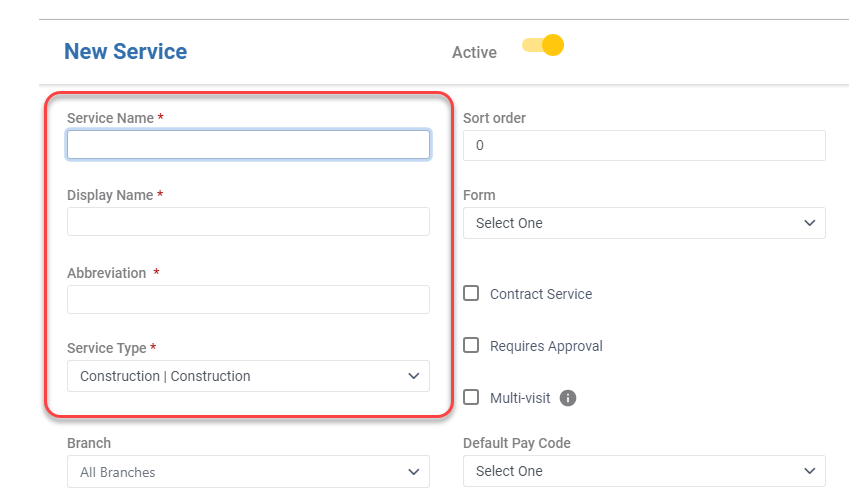
- **Fill** in the recommended fields on your new service record, you will also need to **fill in the required fields** to allow you to *Save*! **Review** the [***Editing Your Indirect Services***](https://care.youraspire.com/en/articles/9718228-reviewing-and-creating-indirect-services#h_b4371cf290) **section** to know more!
[](https://aspire-software.intercom-attachments-7.com/i/o/1150992445/522481f68441a7489ac7ad05/AD_4nXdz4fyd6lHCgqKdIsvJTIBWbizN8ksHR8WoXt0HkBUMTwzg2tE3nwhMx9xIRZ9iQ9e2hUKu_c7LP3dUjdDOZMFpDuuGYvFFdKWsoS142W5l0eTRCwCLxVmV703xyiseKPwn3IHL3ypNyOlbYn6QoQo4-JI?expires=1757099700&signature=ec85fb7f68cce4addc420da468039586d00e96241a76ca8bacd67cf16943b2bc&req=dSEiFsB3n4VbXPMW1HO4zatkzkNkd8bdUy%2FLmqz6d3xcUL8lIyxjglGL42lD%0Ar2wgSQAbxl%2Biu3XzHc0%3D%0A)
**📌Note:** For the service schedule to show, you will need to *Save* the record first!