Purpose
The purpose of this article is to explain what a Construction WIP (Work in Progress) adjustment is and how to complete one in Aspire.
What is a Construction WIP Adjustment?
A Construction WIP Adjustment allows you to adjust the Projected Cost to Complete and Projected Gross Margin displayed on the Job Dashboard. This gives Project Managers a clearer view of how a project is performing and how revised cost expectations may affect profitability.
A WIP Adjustment updates the financial projection values on the Job Dashboard. It does not change the estimated values on individual work tickets or modify the original estimate, including any change orders.
Before making a WIP Adjustment, your Job Dashboard may look like this:
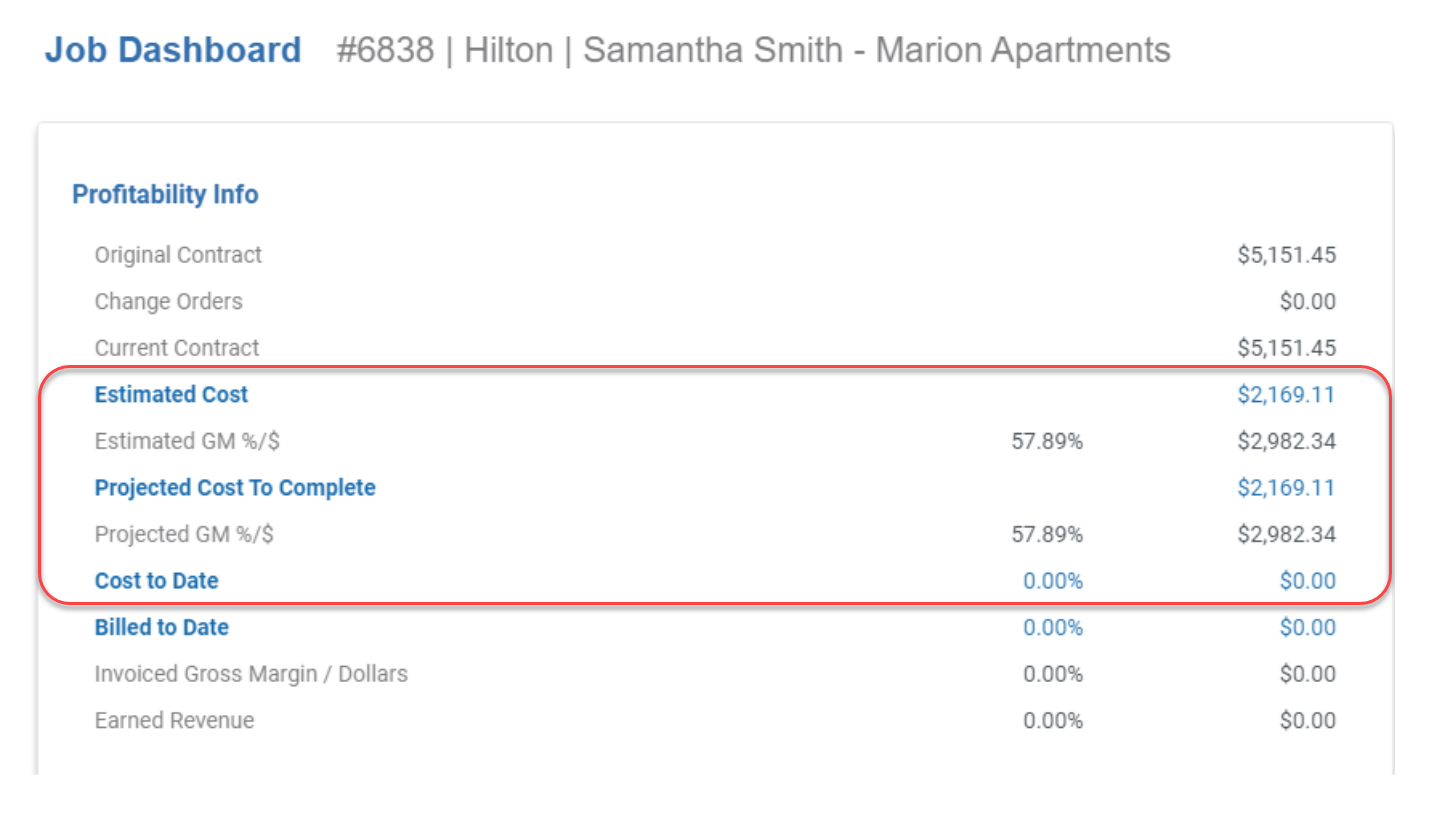
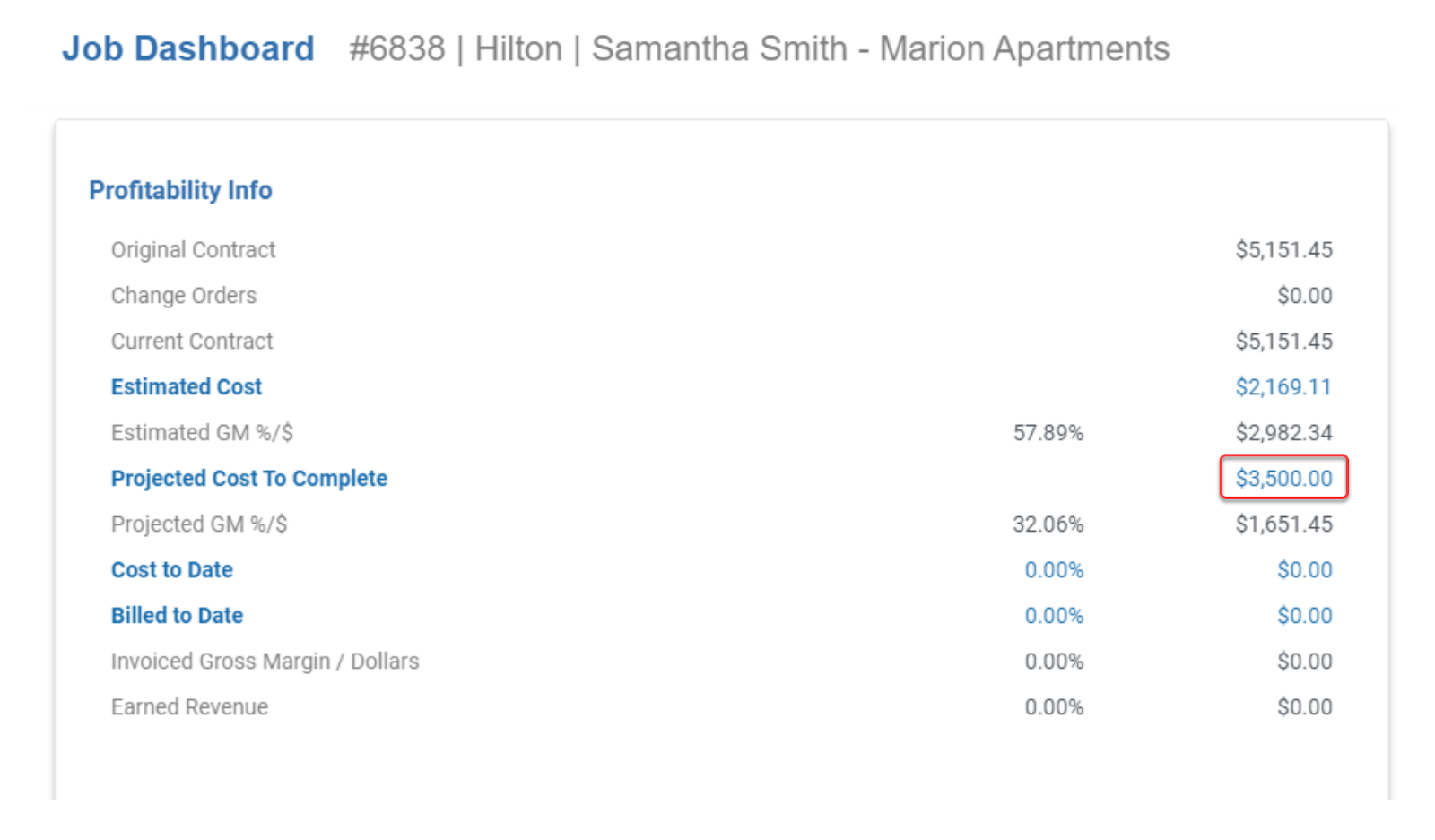
After making an adjustment, the Job Dashboard may look like this:
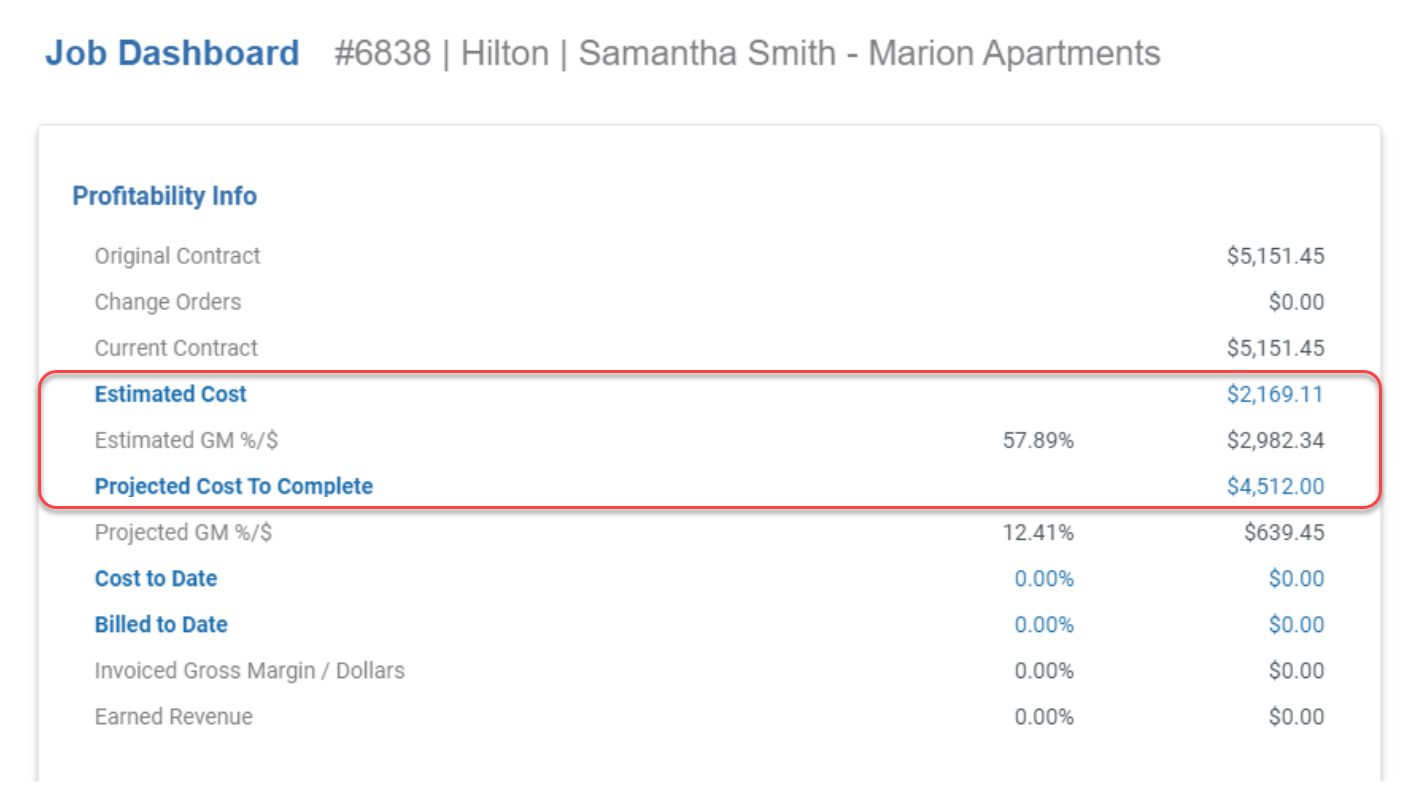
The Estimated Cost and Projected Cost to Complete now differ, and the Projected Gross Margin has been updated.
How to make a Construction WIP Adjustment
- Make sure the Opportunity’s End Date is not in the past. Opportunities with a past end date will not display in the Construction WIP Adjustment list.
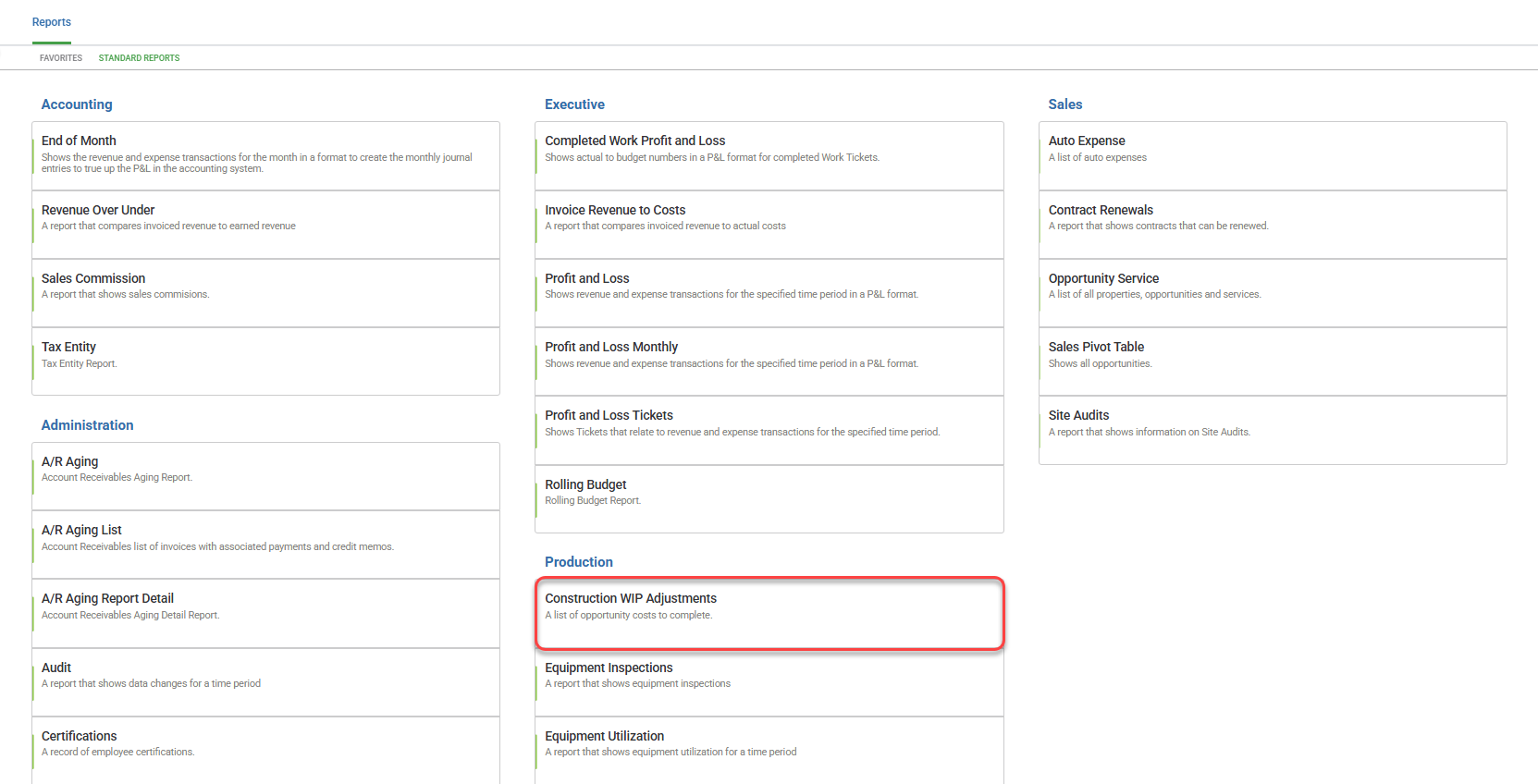
- Go to Reports > Standard Reports and select Construction WIP Adjustments under the Production category.
Locate the Opportunity you want to update (for example, Opportunity #6837).
Select the more actions (⋯) menu on the right and choose Edit Cost to Complete.
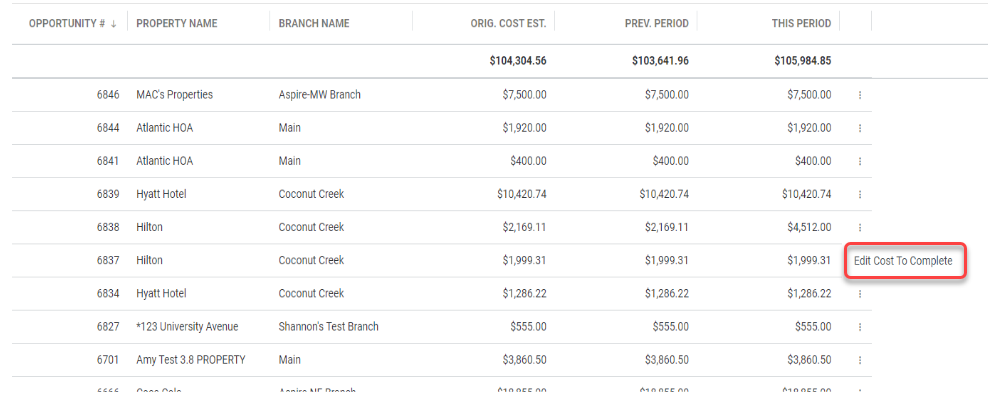
This opens a list of all work tickets associated with the opportunity.

- Enter the revised Cost to Complete value for each work ticket you want to adjust.

Confirm your changes and select Save.
Once saved, return to the Opportunity’s Job Dashboard to review the updated Projected Cost to Complete, Projected Profit, and Projected Gross Margin.
How Construction WIP Adjustments Appear in Reports
Construction WIP Adjustment values are included in the Work in Progress (Work Orders) report. This ensures consistency between the Project Manager’s Job Dashboard and your financial reporting.
The following fields in the Work in Progress report reflect WIP adjustments:
Job Status
Projected Cost to Complete
These fields allow you to track adjusted cost projections alongside committed costs and revenue expectations.